Home Theater AV Receivers, HDMI, and Audio Connections
Route to guides on AV receivers, HDMI eARC, cable behavior, and HDMI 2.1 features. This section names versions and optional features precisely, never equating a connector shape with guaranteed capability.
The biggest mistake newcomers make is assuming the HDMI connector shape guarantees a feature set. It does not. A port labeled HDMI 2.1 on an AV receiver might support eARC but lack FRL bandwidth for 4K at high refresh rates, just as a cable sold as 8K might fail with real source-sink combinations at lengths over five meters. The chain from source to sink defaults to the lowest common capability every time. Match actual supported formats, not marketing names stamped on a box.
Start with the main guide or open a Receivers and connections question:
- Practical Home Theater Guide
- How do I choose an AV receiver?
- What is HDMI eARC?
- Do HDMI cables affect picture quality?
- What is HDMI 2.1 for home theater?
- How should I connect a streaming box, console and receiver?

The Signal Chain: Source, Cable, AV Receiver, Sink
Think of a home theater as a negotiation. The source device reads its own capabilities, queries the sink through the EDID handshake, and both sides agree on a resolution, color depth, refresh rate, and audio codec before a single pixel or sample moves. Any intermediate device, an AV receiver, an HDMI switch, an in-wall extender, can alter the EDID or break HDCP encryption. The whole chain falls back to a format nobody chose. This negotiation happens in milliseconds each time you switch inputs or wake the system. When it fails, you get a black screen, snow, or audio with no video. The fix is never a new cable alone. Isolate which link in the chain forced the downgrade.
Bandwidth and the Version Number Trap
HDMI data rate is the first constraint. The signal format demands speed. A 4K 60Hz HDR10 signal requires roughly 18Gbps. That same resolution at 120Hz with 10-bit color pushes past 40Gbps. The cable, the AV receiver ports, and the sink must all support that full rate. Version numbers printed on packaging are a certification label, not a feature checklist. HDMI 2.1 certifies the testing suite, but FRL speed, VRR, ALLM, and eARC remain optional features a manufacturer may omit. Check the port's rated Gbps, not the version number.
Audio Paths: ARC, eARC, and the CEC Problem
Audio follows a parallel path. The source decodes or bitstreams the track. ARC carries compressed Dolby Digital Plus with Atmos metadata and stereo PCM. eARC carries lossless Dolby TrueHD with Atmos, DTS:X, and 7.1 PCM. Both use the same HDMI connector, but the chipsets at the source, the AV receiver, and the sink must all speak eARC for the higher data rate to open. A single ARC-only device in the chain, even a TV that only outputs ARC, caps the audio at lossy. CEC, the control protocol that rides the same pin, causes devices to power on unexpectedly or switch inputs without command. Disable CEC where eARC can function independently to eliminate the conflict.
- Lowest common capability wins: A source, cable, and sink chain defaults to the maximum resolution, refresh rate, and audio format supported by all three. A single weak link forces the downgrade.
- HDMI version is a certification, not a feature set: Ports labeled HDMI 2.1 are tested against a suite, but FRL bandwidth, VRR, ALLM, and eARC are optional. Verify the rated Gbps per port.
- eARC carries lossless audio; ARC does not: eARC supports Dolby TrueHD with Atmos, DTS:X, and multichannel PCM. ARC caps at compressed Dolby Digital Plus and stereo PCM.
- Cable length limits real bandwidth: Passive copper HDMI cables rarely sustain 48Gbps beyond 3 meters. Active optical or hybrid cables are required for longer runs at high data rates.
- Room correction corrects the room, not the speaker: Systems like Dirac Live, Audyssey MultEQ XT32, and Anthem ARC Genesis apply EQ filters based on microphone measurements. They cannot fix a null caused by destructive boundary interference.
Choosing Your AV Receiver
Select an AV receiver by channel count first, then room correction. The number of amplified channels determines your maximum speaker layout. A 7-channel unit runs a 5.1.2 Dolby Atmos configuration. A 9-channel unit adds rear surrounds for 5.1.4 or 7.1.2. An 11-channel processor like a Trinnov Altitude requires external amplification but maps speakers in three-dimensional space with a calibrated microphone. Count the channels you will actually install. Unused channels are wasted amplifier headroom.
Amplifier Power and Speaker Sensitivity
Amplifier power ratings are the most distorted specification in the category. Manufacturers quote watts per channel with one or two channels driven at 1kHz at high distortion. Into all channels driven simultaneously across the full 20Hz to 20kHz range, output drops 30 to 50 percent. A unit rated at 100 watts per channel may deliver 50 clean watts to each of seven channels. Match speaker sensitivity to real power. A speaker with 89dB sensitivity at 2.83V at 1 meter needs far less current than an 85dB speaker to hit reference level at the listening position. The subwoofer carries the heaviest load below the crossover. Redirect bass to a powered sub and you reduce the amplifier demand on the receiver.
Room Correction Systems Compared
Room correction software is not interchangeable. Dirac Live uses mixed-phase filtering and corrects impulse response in the time domain, which improves imaging precision. Its default target curve applies a high-frequency roll-off that some users perceive as dull. The curve is editable. Audyssey MultEQ XT32, found in Denon and Marantz units, applies finite impulse response filters to multiple measurement points and includes a midrange compensation dip by default. Disable that dip if your speakers measure flat through the midband. Anthem ARC Genesis uses a calibrated microphone and phase correction, but the software runs only on Mac or PC. Its target curve and measurement routine prioritize quick setup over granular control. No room correction system fixes a bass null caused by destructive boundary interference. Move the subwoofer or add a second one before you apply filters.
A common failure mode: the receiver sets a subwoofer distance that does not match the tape measure. This is correct. The microphone detects the acoustic center including DSP latency in the subwoofer amplifier. Overriding the setting to match the physical distance breaks the time alignment between the sub and the mains. Leave it alone.
HDMI eARC: Audio Return Channel That Works
eARC, or Enhanced Audio Return Channel, is the single most misunderstood feature on a modern AV receiver. It lets the TV send lossless audio back to the receiver through the same HDMI cable that carries video to the TV. Without eARC, built-in streaming apps on a smart TV output compressed Dolby Digital Plus at best. With eARC, those same apps can output Dolby TrueHD with Atmos if the content provides it. The limitation is the source: streaming services encode Atmos in a lossy Dolby Digital Plus container even on eARC. The bandwidth is there. The stream is not.
The handshake between an eARC TV and an eARC receiver is fragile. Enable eARC in both devices' settings menus. A high-speed HDMI cable with Ethernet is mandatory. If the TV only supports ARC, the receiver will not negotiate eARC. Disable the TV's internal speakers. Enable Passthrough or Bitstream in the TV audio settings. If audio drops intermittently, disable CEC on all devices. CEC commands from a Blu-ray player or streaming box can reset the audio path mid-stream. The symptom is audio that cuts out for two seconds and returns. The fix is the CEC setting, not a new cable.
Lip-sync error is the other eARC gremlin. The TV processes the video signal, introducing a delay. If the audio bypasses to the receiver via eARC without corresponding compensation, the sound leads the picture. Most receivers include an auto lip-sync feature that reads the latency from the TV's EDID. Not all TVs report accurately. Manually adjust the audio delay in the receiver in 5ms increments until dialogue locks to mouths. Start at 80ms and increase.
HDMI Cable Picture Quality: What the Cable Can and Cannot Do
A digital HDMI cable either passes the signal or it does not. It does not improve sharpness, color saturation, or contrast. A cable that is marginal produces sparkles, white dots on the screen, intermittent blackouts, or a complete signal loss. Never a softer image. The data is packetized and error-checked. When errors exceed the correction threshold, the link drops. When the link holds, the picture is pixel-perfect.
Cable certification is a bench test, not a field guarantee. An Ultra High Speed HDMI cable passes a compliance test on a short run in a lab. In a real system at five meters with a specific source and sink, the same cable may fail at 48Gbps. Active optical cables convert the electrical signal to light and back, which extends reliable length to 30 meters or more. Hybrid cables use fiber for the high-speed data lanes and copper for low-speed control. For runs over three meters at 4K 120Hz or 8K, use an active optical cable. For runs under two meters, a passive certified cable is sufficient and half the cost.
The most common cable failure mode is not bandwidth but EDID corruption. A cable with a broken or intermittent DDC line, the pin that carries the display identification data, prevents the source from reading the sink's capabilities. The source defaults to 1080i or no signal. Test this by swapping the cable before you replace the source or sink.
HDMI 2.1: What the Port Actually Delivers
HDMI 2.1 enables four features that matter for a home theater: higher data rate via FRL, Variable Refresh Rate, Auto Low Latency Mode, and eARC. FRL, or Fixed Rate Link, replaces the old TMDS signaling with a packet-based system that scales to 48Gbps. This unlocks 4K at 120Hz with 10-bit HDR, 8K at 60Hz, and Dynamic HDR metadata formats like HDR10+ and Dolby Vision at full bandwidth. A port labeled HDMI 2.1 may support only one of these. Check the manufacturer's specification sheet for the per-port Gbps rating and the supported resolutions.
VRR and ALLM are gaming features. A home theater benefits if the system also serves a console or PC. VRR matches the display's refresh rate to the source's frame rate, eliminating screen tearing. ALLM tells the display to switch to its lowest-latency mode when a game launches. For film content, these are irrelevant. The home theater use for HDMI 2.1 is the FRL bandwidth, which allows 4K 120Hz from a Kaleidescape or a high-end PC, and Dynamic HDR passthrough.
The handshake failure rate on FRL connections is higher than on legacy TMDS. When the link trains, the source and sink test each of the four FRL lanes. If one lane fails, the link drops to a lower speed or fails entirely. The fix is a shorter or active cable, or forcing a lower data rate in the source settings. Start troubleshooting at 4K 60Hz 8-bit SDR and step up until the link breaks.
| Feature | HDMI ARC | HDMI eARC | HDMI 2.1 FRL |
|---|---|---|---|
| Compressed 5.1 surround | Yes | Yes | Yes |
| Lossless Dolby TrueHD / Atmos | No | Yes | Yes |
| DTS:X bitstream | No | Yes | Yes |
| 7.1 PCM audio | No | Yes | Yes |
| 4K 60Hz HDR10 | Yes | Yes | Yes |
| 4K 120Hz HDR10 | No | No | Yes (up to 48Gbps) |
| 8K 60Hz | No | No | Yes (up to 48Gbps) |
| VRR / ALLM | No | No | Optional |
| Dynamic HDR metadata | No | No | Optional |
Getting the Signal Through: Handshake, HDCP, and EDID
The handshake is the exchange where source and sink agree on format. EDID is the data block the sink sends listing its supported resolutions, refresh rates, color spaces, and audio codecs. HDCP is the encryption that enforces copy protection. A handshake failure, black screen, snow, or intermittent signal drop, is caused by EDID corruption, HDCP mismatch, or an intermediate device that modifies the EDID. Run this diagnostic sequence: connect the source directly to the sink with a known-good short cable. If that works, add the AV receiver back in. If it fails, the receiver is the problem. If it works with the receiver but fails with the long in-wall cable, the cable is the problem.
HDCP 2.2 is required for 4K HDR content. If any device in the chain uses HDCP 1.4, the source will not output 4K. Some streaming devices enforce HDCP even on the menu screen. The symptom is a black screen with audio playing. Check the HDCP version on every device in the chain, including splitters and extenders.
An EDID emulator, a small dongle that plugs into the source's HDMI output and stores a fixed EDID, solves intermittent handshake issues in projectors with long cable runs. The source reads the emulator's EDID instead of the display's, so the link trains before the display is fully powered. This prevents the no-signal loop that occurs when a projector takes 30 seconds to boot.
Audio Formats and Channel Routing
Dolby Atmos and DTS:X are object-based formats. Atmos dominates streaming and disc. DTS:X appears on some Blu-rays with less aggressive upmixing and no mandatory height layout. A receiver that decodes both will upmix any non-object track, but the upmixer chooses which speakers to engage. Dolby Surround Upmixer uses height channels aggressively. DTS Neural:X is more conservative. Test both with a familiar scene and pick the one that keeps dialogue anchored to the center and effects panned where the mixer intended.
Channel Count Versus Speaker Count
Channel count is not the same as speaker count. A 5.1.2 configuration means five ear-level speakers, one subwoofer, and two height speakers. The point-two denotes the number of independently rendered height or overhead objects. The renderer scales to the speaker count. A Trinnov Altitude with 16 channels can map an Atmos track to 9.1.6 with precision that a 7-channel unit cannot match. But the limiting factor is the room's acoustic treatment and speaker placement. Four well-placed height speakers in a treated room outperform eight in a bare drywall box.
Bass Management and Room Correction Sequence
Bass management is the crossover that redirects low frequencies from small speakers to the subwoofer. Set the crossover at 80Hz for speakers that can play cleanly to 60Hz. Set it higher, 100 or 120Hz, for small satellite speakers. The subwoofer's low-pass filter should be disabled or set to its maximum; the receiver handles the crossover. Room correction applies EQ after bass management. The two processes are sequential. Running room correction with the wrong crossover setting produces a measurement that does not match the final listening condition.
More in this guide
How do I choose an AV receiver?How should I connect a streaming box, console and receiver?What is HDMI eARC?.
More in Receivers and connections
-
 Do HDMI cables affect picture quality?
HDMI cables pass a digital signal that either arrives intact or fails with sparkles, dropouts, or a black screen. A cable cannot improve sharpness, color, or contrast.
Do HDMI cables affect picture quality?
HDMI cables pass a digital signal that either arrives intact or fails with sparkles, dropouts, or a black screen. A cable cannot improve sharpness, color, or contrast.
-
 How do I choose an AV receiver?
Choose an AV receiver by channel count first, then room correction platform. Published power ratings drop 30-50% with all channels driven, and an HDMI 2.1 label does not guarantee specific features.
How do I choose an AV receiver?
Choose an AV receiver by channel count first, then room correction platform. Published power ratings drop 30-50% with all channels driven, and an HDMI 2.1 label does not guarantee specific features.
-
 How should I connect a streaming box, console and receiver?
Connect sources to the AV receiver first unless a specific HDMI 2.1 feature exceeds the receiver's bandwidth. The chain defaults to the lowest common capability.
How should I connect a streaming box, console and receiver?
Connect sources to the AV receiver first unless a specific HDMI 2.1 feature exceeds the receiver's bandwidth. The chain defaults to the lowest common capability.
-
 What is HDMI 2.1 for home theater?
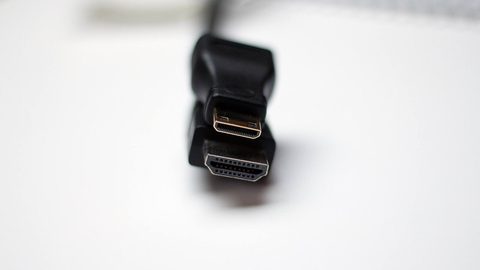
An HDMI 2.1 port label is a certification, not a feature guarantee. FRL bandwidth, VRR, and ALLM are all optional—check the manufacturer's specific feature list.
What is HDMI 2.1 for home theater?
An HDMI 2.1 port label is a certification, not a feature guarantee. FRL bandwidth, VRR, and ALLM are all optional—check the manufacturer's specific feature list.
-
 What is HDMI eARC?
eARC carries lossless Dolby TrueHD/Atmos where ARC is limited to compressed surround. Both use the same HDMI connector but require different chipsets at both ends.
What is HDMI eARC?
eARC carries lossless Dolby TrueHD/Atmos where ARC is limited to compressed surround. Both use the same HDMI connector but require different chipsets at both ends.
Common Questions
Why does my HDMI cable work at 1080p but fail at 4K HDR?
The higher data rate of 4K HDR, typically 18Gbps or more, exceeds the cable's bandwidth. A cable that passes lower-bandwidth signals can fail when the link trains at the higher FRL rate. Replace it with an active optical cable or a certified Ultra High Speed cable that is shorter than three meters.
Can I get Dolby Atmos through ARC?
Yes, but only the lossy version. ARC carries Dolby Digital Plus with Atmos metadata. For lossless Dolby TrueHD with Atmos, you need eARC at both the TV and the AV receiver, plus a high-speed HDMI cable with Ethernet.
My AV receiver sets the subwoofer distance twice as far as the physical measurement. Is that wrong?
No. The receiver measures the acoustic center, which includes the DSP latency inside the subwoofer amplifier. Overriding the setting to match the tape measure will break time alignment between the sub and the main speakers. Leave the setting alone.
What is the difference between HDMI 2.1 and FRL?
HDMI 2.1 is the certification. FRL (Fixed Rate Link) is the signaling technology that enables 48Gbps bandwidth. A port can be certified HDMI 2.1 but not support full FRL speed. Check the per-port Gbps rating in the manufacturer's specifications.
Why does audio cut out for a few seconds during a movie?
This is a CEC conflict. A connected device sends a control command that resets the audio path. Disable CEC on all devices in the chain. If eARC is needed, check if your devices support eARC without CEC (some recent models do) and enable that mode.
Will a better HDMI cable improve picture quality?
No. A digital HDMI cable either passes the signal or fails. A failing cable produces sparkles, dropouts, or a black screen, never a softer or less colorful image. Replace the cable if you see these artifacts, not to chase a subjective improvement.
How do I fix lip-sync where the audio is ahead of the video?
The TV's video processing introduces delay. If the audio bypasses to the AV receiver via eARC, use the receiver's audio delay setting. Start at 80ms and adjust in 5ms steps until dialogue matches lip movement. Disable TV motion smoothing, which adds variable processing delay.
Read next
-
How do I choose an AV receiver?
Choose an AV receiver by channel count first, then room correction platform. Published power ratings drop 30-50% with all channels driven, and an HDMI 2.1 label does not guarantee specific features.
-
How should I connect a streaming box, console and receiver?
Connect sources to the AV receiver first unless a specific HDMI 2.1 feature exceeds the receiver's bandwidth. The chain defaults to the lowest common capability.
-
What is HDMI eARC?
eARC carries lossless Dolby TrueHD/Atmos where ARC is limited to compressed surround. Both use the same HDMI connector but require different chipsets at both ends.
-
Do HDMI cables affect picture quality?
HDMI cables pass a digital signal that either arrives intact or fails with sparkles, dropouts, or a black screen. A cable cannot improve sharpness, color, or contrast.
-
What is HDMI 2.1 for home theater?
An HDMI 2.1 port label is a certification, not a feature guarantee. FRL bandwidth, VRR, and ALLM are all optional—check the manufacturer's specific feature list.