Choosing a TV or Projector for Your Home Theater by the Numbers
Projectors dominate above 100 inches and in light-controlled rooms, while TVs win in mixed-use spaces. The measurable thresholds that decide the choice.
When a Projector Makes Sense and When a TV Wins
Choose a projector if your screen will exceed 100 inches diagonal. Consumer televisions simply do not exist at that size. A TV is the correct tool in a mixed-use room where lights stay on. The direct-view panel preserves intra-scene depth better than any front projection system.
Both technologies must hit the same D65 white point for accurate color volume comparison. They reach it through different peak luminance requirements. A TV targeting 1,000 nits follows the SMPTE ST 2084 PQ curve up to its hardware limit. A projector operating at 30 foot-lamberts on a unity gain screen maps the same curve onto a much lower luminance range. It relies on tone mapping to preserve specular highlight differentiation. Neither approach is broken. Each is the right answer for a specific room condition.
Continue with the section overview or a closely related question:
The Screen Size Divide
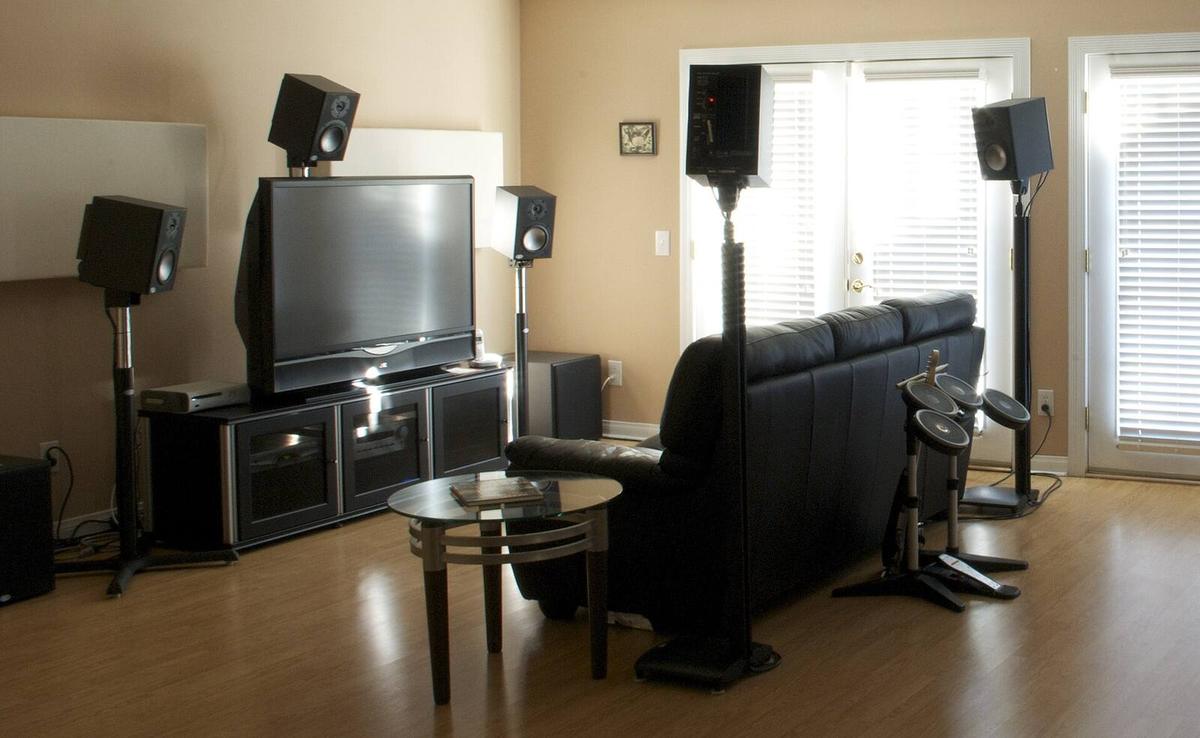
Above 100 Inches, Projectors Win
Above 100 inches diagonal, the projector is the only viable option for a dedicated room. No mass-market television ships at that size. The few microLED walls that do cost more than a luxury car. The projector industry standardizes on throw ratios that let a long-throw lens fill a screen from 12 to 15 feet. This matches the seating geometry of most converted basements. A pixel-shift projector accepting a 4K signal can image a 1080p panel twice to synthesize a picture that, in motion content, is functionally indistinguishable from native 4K at normal viewing distances.
Below 85 Inches, TVs Dominate
Below 85 inches, the TV dominates. An 83-inch OLED with effectively infinite native contrast and pixel-level black level control reads as more convincing in a room with any stray light. The error to avoid is buying a 75-inch TV, mounting it in a light-controlled space, and sitting 14 feet away. At that distance the angular resolution of the human eye cannot resolve 4K detail. The image feels no larger than a laptop screen held at arm's length.
Display Selection Criteria by the Numbers
Measure Room Light First
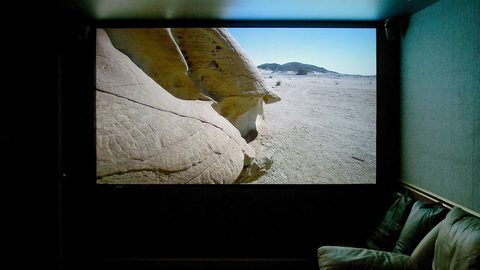
Screen size is the first filter, but room light control is the second and it overrides everything. Measure light falling on the screen surface with a meter capable of reading below 1 lux. A dedicated theater with black velvet walls, no windows, and dimmable sconces can hold 0.05 foot-lamberts of light. That is the environment where a JVC D-ILA projector with 20,000:1 native contrast ratio produces a black floor that looks black, not gray. Introduce 1 foot-lambert of light and the projector's ANSI contrast collapses. The screen reflects room light identically to projector light.
Seating Distance Sets the Screen Size
Viewing distance sets the screen size ceiling and the resolution floor. At 10 feet, a 100-inch diagonal 16:9 screen subtends a 40-degree horizontal viewing angle. This is the SMPTE reference for cinema immersion. Closer than 8 feet and pixel structure becomes visible on a 1080p pixel-shift projector. Further than 14 feet and the gain from 4K native resolution drops to zero. Use the seating distance to back-calculate the screen size, not the other way around. A screen that is too large forces eye scanning that fatigues viewers within 30 minutes.
Color Volume Separates Premium From Budget
Color volume, the intersection of gamut coverage and luminance capability, separates premium from budget projectors more than resolution ever will. An LCoS projector that covers 90 percent of DCI-P3 at its calibrated peak luminance renders HDR content with saturation that a brighter but narrower-gamut DLP projector cannot match. On the TV side, an OLED panel maintains full color saturation down to its per-pixel black level. A Mini-LED LCD with local dimming drops color volume in near-black scenes where the backlight zones cannot fully extinguish. The BT.1886 gamma target for SDR content further complicates this. It is display-dependent. A projector with 1,000:1 on/off contrast applies a different gamma curve than an OLED with infinite contrast, and both can be correct.
Contrast and Light Compared
ANSI Contrast Predicts Real Scenes
Native contrast ratio is the projector spec that gets quoted. ANSI contrast ratio is the one that predicts what you will actually see in a real scene. A projector can measure 20,000:1 on/off with a full-field pattern while delivering only a fraction of that on an ANSI checkerboard once a bright object and a dark object share the same frame. That figure is what determines whether shadow detail in a dimly lit corridor scene reads as texture or as a flat gray smear. A TV, particularly an OLED, maintains near-infinite ANSI contrast. Each pixel is its own light source and a checkerboard pattern does not cause blooming into adjacent black squares.
Room Light Worsens the Gap
In a room with any light at all, the ANSI contrast advantage of the TV widens further. A 0.5 foot-lambert light level on a projector screen with unity gain adds 0.5 foot-lamberts to every part of the image, black areas included. The projector's black floor is now the light level. Its effective contrast ratio drops to its peak white divided by that floor. A TV with a 1,000-nit peak and a 0.001-nit black level shrugs off the same light. Its black areas are generated by the panel, not reflected from the room.
Screen Gain Is a Trade
Screen gain is the projector's tool for fighting light, but it is a trade. A 1.3 gain screen pushes more light back to the seats but narrows the viewing cone to roughly 30 degrees off-axis before brightness falls by half. At the edge seats of a wide row, viewers see a dimmer, color-shifted image. Acoustically transparent screens from Seymour-Screen Excellence with Enlightor 4K fabric measure under 1dB of insertion loss at 20kHz. This allows speakers to sit behind the screen without audible high-frequency attenuation. Their gain is 1.0 to 1.1, providing no brightness boost.
| Measurement | Projector Target | TV Target | Why It Matters |
|---|---|---|---|
| Screen size | 100-150 inches diagonal | 55-98 inches diagonal | Above 100 inches, TV options vanish; below 85 inches, projector image is too small for the cost |
| Ambient light on screen | Below 0.1 ft-L | No practical limit below 5 ft-L | Projector black floor rises with room light; TV black floor is panel-limited |
| Peak luminance (SDR) | 30-50 ft-L on a 1.0 gain screen | 100 nits (29 ft-L) calibrated | Both target D65 white point; projector brightness drops 40-60% in color-accurate mode |
| Native contrast ratio | 10,000:1 minimum for JVC D-ILA; 2,000:1 typical for DLP | Effectively infinite for OLED; 5,000:1 for Mini-LED with local dimming | On/off contrast matters in dark scenes; ANSI contrast matters in mixed-brightness scenes |
| Color volume (DCI-P3) | 80-95% coverage at calibrated luminance | 95-100% coverage at peak luminance | Gamut at low luminance is invisible; intersection with luminance range is what counts |
| Input lag (Game mode) | 25-40ms on LCoS; 15-25ms on DLP | 5-15ms on OLED; 10-20ms on LCD | Below 20ms is imperceptible to most gamers; above 40ms is noticeable in first-person shooters |
| HDMI 2.1 FRL bandwidth | 40-48Gbps on current LCoS models | 48Gbps on premium TVs | Required for 4K 120Hz HDR; cable length over 5 meters is a failure risk for copper |
When to Choose a Projector
Match the Throw Ratio to the Room
The projector is the answer when the room is a dedicated space with light control and the goal is a cinematic image above 100 inches. The projector's throw ratio must match the room geometry. A long-throw lens from 14 feet back filling a 120-inch screen is ideal. A short-throw projector at 8 feet creates hot-spotting and lens shift limitations. The JVC D-ILA platform remains the reference for black level. Its native contrast ratio, measured at the lens, exceeds 20,000:1 on current models. Its dynamic tone mapping via external processors like the MadVR Envy addresses the HDR brightness gap that all projectors face.
Pixel-Shift Saves Money for What Matters
Pixel-shift projection is not a compromise for motion content. A 1080p Epson UB series or a 2716x1528 DLP chip shifted to 4K resolves single-pixel test patterns less sharply than a native 4K Sony SXRD panel. In a blind test with film content at 12 feet, the visible difference disappears. The budget saved by choosing pixel-shift over native 4K is better spent on a reference screen material from Stewart Filmscreen or on acoustic treatment that lowers the room's noise floor.
Plan HDMI Before Drywall Goes Up
The projector path also demands planning for HDMI cable routing before drywall goes up. An active optical HDMI cable rated for 48Gbps FRL bandwidth is the only reliable choice for runs over 15 feet. It is directional. Install it with the source end labeled and test it with a 4K 120Hz signal before the ceiling is closed. The failure rate on copper HDMI cables at 10 meters carrying full 48Gbps is high enough that a spare conduit is mandatory, not optional.
Projectors in Mixed-Use Rooms
A mixed-use room with windows, white walls, and recessed ceiling lights is a TV room, not a projector room. The ANSI contrast ratio of a projector in these conditions drops below 50:1. Dark scenes lose all shadow detail and HDR content looks washed out. A Mini-LED TV with local dimming and 1,500 nits of peak luminance punches through light because its black areas are not illuminated by the room. They are blocked by the panel's dimming zones. The viewing angle of the TV matters here. A wide seating arrangement benefits from an OLED panel with near-perfect off-axis color. A VA-type LCD panel shifts gamma at seats beyond 30 degrees.
An ambient-light-rejecting (ALR) projector screen is the only mitigation. It is a bandage, not a cure. ALR screens use a lenticular or optical coating to reject light coming from above and the sides while reflecting light from the projector at the bottom of the screen. The measured gain on-axis can reach 0.8 to 1.2. The viewing cone is aggressively narrow and the screen surface shows sparkles and color shift at the edges. The cost of a quality ALR screen from a reputable manufacturer runs into four figures for a 100-inch diagonal. Even then, a large-screen TV will outperform it in a lit room. The projector path in light is for the builder who accepts that daytime viewing will be compromised and prioritizes the 120-inch image for night sessions.
Calibration Targets Both Technologies Must Hit
D65 White Point Is Non-Negotiable
The D65 white point is non-negotiable for both projectors and TVs. The SMPTE ST 2084 PQ curve and the BT.1886 gamma reference both assume it. A projector calibrated to D65 in its Cinema mode will measure 40 to 60 percent lower peak luminance than its published Bright mode spec. The Bright mode pushes green and blue to inflate the lumen number. That calibrated luminance, measured in foot-lamberts off the screen, is the real brightness budget for HDR tone mapping. If the calibrated peak is 25 foot-lamberts on a 120-inch screen, the tone mapping curve must compress the HDR signal's 1,000-nit or 4,000-nit master into that narrow range without clipping specular highlights.
Color Volume Diverges in Practice
Color volume is where the calibration targets diverge in practice. A TV can sustain high luminance across its entire gamut. Its DCI-P3 coverage at high brightness is meaningful. A projector's DCI-P3 coverage at 15 foot-lamberts is less useful. The human visual system perceives color saturation as diminishing at low luminance. The calibration workflow for SDR uses a fixed 100-nit white point. For HDR it uses the PQ curve with variable peak luminance. The patterns, software, and meter setup differ completely. A calibrator who knows one workflow but not the other will produce an HDR image that looks dim and desaturated on a projector or clipped on a TV.
Gaming, Input Lag, and HDMI 2.1 FRL Bandwidth
Input Lag Is the Hard Filter
Gamers choosing between a projector and a TV should treat input lag as the hard filter. A TV in Game mode measures 5 to 15 milliseconds of lag. That is below the threshold of human perception for all but competitive esports. A projector in its low-latency mode measures 25 to 40 milliseconds on LCoS platforms and 15 to 25 milliseconds on DLP. Above 40 milliseconds, the delay between controller input and on-screen action becomes noticeable in first-person shooters and rhythm games. The figure quoted without the display mode is meaningless. Cinema mode on a projector can add 80 to 120 milliseconds of processing latency.
Verify FRL Bandwidth Before Buying
HDMI 2.1 FRL bandwidth of 40 to 48Gbps is required for 4K at 120Hz with HDR and variable refresh rate. A port labeled HDMI 2.1 is not a guarantee of this bandwidth. The label is a certification that permits the port to support only eARC and ALLM while running at HDMI 2.0 data rates. Verify the FRL lane count in the specifications. A 4-lane FRL connection delivers 48Gbps. A 3-lane connection delivers 30Gbps and may drop to 4K 60Hz with HDR. Cable length above 5 meters is the leading cause of FRL link failure. Active optical cables solve the distance problem. The cheaper ones fail to negotiate 48Gbps with specific source-sink combinations.
Projector Black Level and Room Acoustics
Black Level Is a Measurement, Not a Ratio
Projector black level is an absolute luminance measurement, not a ratio. It is the single number that separates a convincing dark-room image from a gray rectangle. A JVC D-ILA projector measuring 0.002 foot-lamberts of black on a unity gain screen in a fully treated room reads as true black. Raise the room's light to 0.01 foot-lamberts and the black floor rises by a factor of five. This erases the advantage that the projector's native contrast ratio promised. The room's surface reflectivity matters as much as the projector's light engine. Black velvet on the first 6 feet of walls and ceiling from the screen forward kills the reflected light that raises the black floor more than any projector upgrade can fix.
Fan Noise and the Schroeder Frequency
The Schroeder frequency, 150 to 250Hz in home theater rooms, divides the acoustic response into the modal region below and the diffuse region above. It matters here because a projector's fan noise, which often has a tonal component between 200 and 400Hz, lands right at the boundary where the ear is sensitive and room treatment can scatter or absorb it. Mounting a projector directly above the seating position guarantees that fan noise intrudes on quiet film passages. A throw distance that places the projector behind the seating, combined with a hush box or a soffit mount, drops the perceived noise by 6 to 10dB without modifying the projector's internal cooling.
More in this guide
Home Theater Displays: Projectors, TVs and Screens Compared by Trade-OffHome Theater Planning: Turning Room Constraints into a Sequence of DecisionsWhat Projector Throw Ratio Means and How to Calculate Placement.
Common Questions
At what screen size does a projector become cheaper than a TV?
Above 98 inches, a projector and screen combination is the only consumer option because televisions are not sold at 100 inches or larger. An 85-inch TV and a 120-inch projector setup can cost roughly the same. The projector delivers a 40 percent larger diagonal image. Below 85 inches, the TV is usually less expensive and simpler to install.
Can a projector work in a room with windows?
A projector can function in a room with windows, but its ANSI contrast ratio will drop below 50:1 in daylight, washing out shadow detail and HDR highlights. An ambient-light-rejecting screen helps, but it narrows the viewing cone. For mixed-use rooms with uncontrolled light, a large TV is the stronger choice.
Is pixel-shift 4K as sharp as native 4K?
In single-pixel test patterns, native 4K is visibly sharper. In motion content at a viewing distance of 10 feet or more, the difference between a 1080p pixel-shift projector and a native 4K projector is functionally invisible to most viewers. The money saved by choosing pixel-shift is often better spent on a higher-gain screen or room treatment.
How much brightness does a projector lose in color-accurate mode?
A projector's calibrated peak luminance in a Cinema or Reference mode is 40 to 60 percent lower than the published lumen spec. The published spec is measured in a high-brightness, color-inaccurate Dynamic mode with green push. A projector rated at 2,000 lumens may deliver only 800 to 1,200 calibrated lumens at the D65 white point.
What is the biggest mistake when buying a projector?
Choosing a projector with the wrong throw ratio for the room. If the lens cannot fill the desired screen size from the available mounting distance, the image will be too small or require digital keystone correction that degrades resolution and adds input lag. Measure the throw distance and screen width before selecting a projector model.
Do I need an acoustically transparent screen?
An acoustically transparent screen is necessary only if you place the center channel speaker behind the screen. This improves dialogue localization because sound comes from the image, not from below or above it. Woven fabrics like Seymour-Screen Excellence Enlightor 4K lose under 1dB at 20kHz. They require a projector with enough light output to compensate for the screen's gain, which is 1.0.
Why does my projector's black level look gray?
The most common cause is light in the room reflecting off the screen surface, not the projector's native contrast ratio. Even 0.01 foot-lamberts of stray light raises the black floor measurably. The second cause is an incorrectly set brightness control that elevates the digital black level above the source's reference black. Calibrate with a test pattern before assuming the projector is defective.
.jpg)