
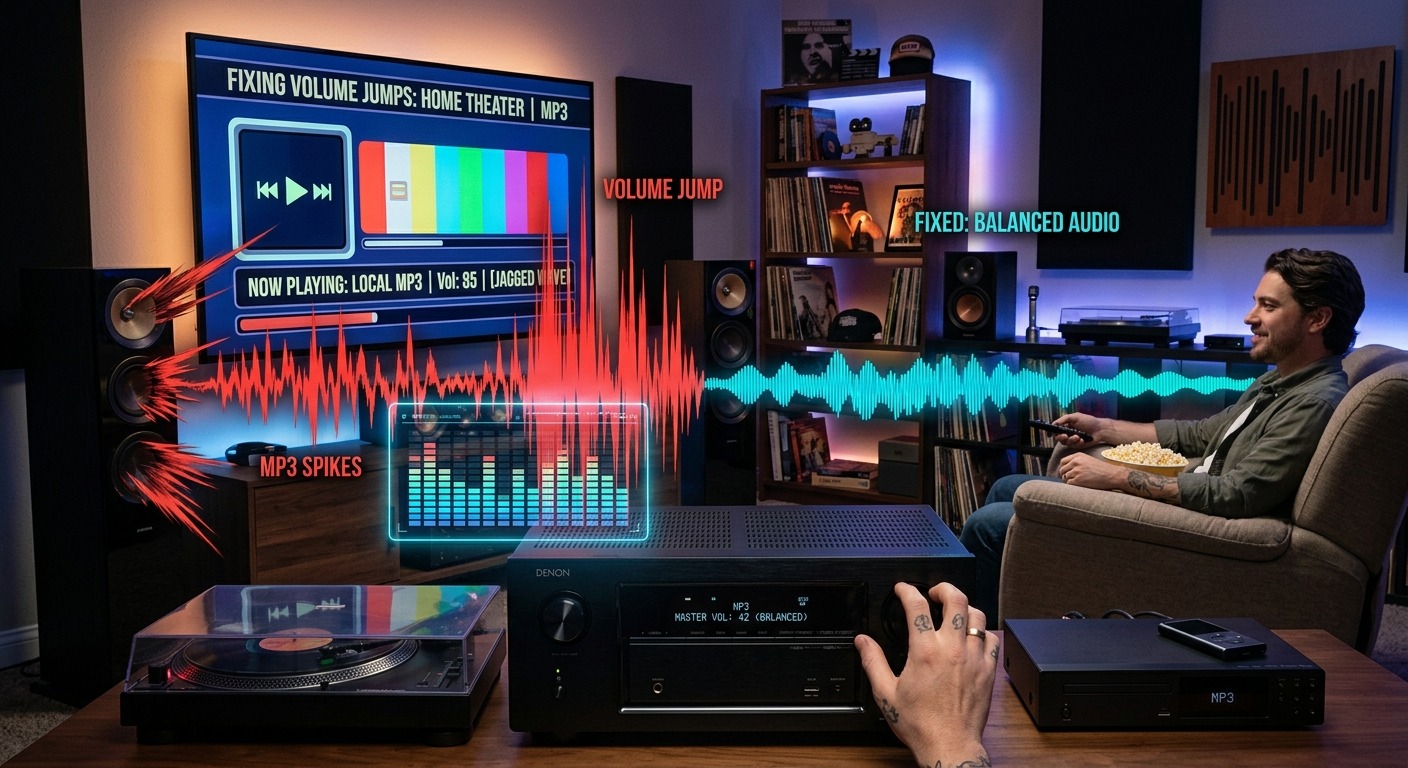
You have a beautifully set up home theater. The receiver is calibrated, the speakers are tuned to the room, and you queue your local MP3 library for a long evening of music. The first song starts. It is a quiet acoustic folk recording from the 1970s. Volume at 42. Perfect. The next track loads. It is a 2000s pop album mastered to peak loudness, and it nearly pins you to the couch. You grab the remote, turn it down, and then the following song is too quiet again. This is not a gear problem. It is a mastering problem, and you can fix it permanently.
The Root Cause
Volume chaos in your MP3 library comes from inconsistent loudness baked into the files themselves during mastering, not from your receiver or speakers.
- Tracks from different eras and labels were mastered to wildly different loudness targets, sometimes by 10 to 15 decibels or more.
- Riding the volume knob every few songs is a symptom of the problem, not a solution to it.
- Pre-processing your files to a consistent loudness level before copying them to USB or NAS is the clean, permanent fix.
Why Songs in Your Library Sound Completely Different in Volume
Even if two MP3 files look identical sitting in the same folder, they can carry wildly different loudness levels. The reason is that the perceived loudness of an audio recording is not standardized by default. A recording engineer working on a jazz album in 1963 had completely different tools and completely different goals than a mastering engineer delivering a chart-ready pop album in 2005. One was trying to capture a natural acoustic performance. The other was trying to make the track sound as powerful as possible in a radio or retail environment.
The result is two files sitting next to each other in your music folder. One is gentle and warm. One hits like a wall. Your receiver has no idea, and neither does your smart TV or media player. They read the files and play them at face value.
How the Loudness War Permanently Affected Your Music Collection
Starting in the late 1980s and picking up speed through the 1990s and 2000s, record labels competed for attention on the radio. The louder a track sounded compared to the competition, the more it stood out to listeners scrolling past on the dial. Mastering engineers were pushed to raise loudness higher and higher, often compressing dynamic range to create a dense, unrelenting wall of sound. The goal was impact, not fidelity.
A mixed library pulls from across this entire history. Here is what that looks like in a typical collection:
- Older jazz, classical, and folk recordings from the 1950s through 1970s tend to have a wide dynamic range and a relatively low average loudness, because they were mastered for audiophile playback, not broadcast competition.
- Rock and pop albums from the 1980s and early 1990s sit in the middle of the loudness spectrum but vary considerably by label and mastering house.
- Commercial pop, hip-hop, and rock albums from the late 1990s through early 2010s are often 10 to 15 decibels louder on average than older recordings, with far less dynamic range preserved.
- Recent independent and streaming-era music sometimes pulls back on loudness, since platforms apply their own normalization at the playback stage, giving engineers less reason to push levels to the limit.
Broadcast and streaming services now follow the broadcast loudness standard known as EBU R128 to keep their content at consistent playback levels. Your offline MP3 library has no equivalent guardrail, which is why those jumps hit so hard through a home theater system with properly calibrated speakers.
Why Your AV Receiver Cannot Fix This on Its Own
Your AV receiver is excellent at decoding audio formats, managing speaker levels, and applying room correction curves. What it cannot do is intelligently re-level the playback of every individual MP3 track as it streams from a USB drive or NAS server.
Dynamic Volume features and similar options found on many receivers attempt to compensate for loud and quiet passages in real time. They do not work well for track-to-track volume differences caused by mastering gaps of 10 or more decibels. They tend to pump and breathe awkwardly, making quiet tracks sound artificially pushed up and loud tracks feel clamped down. The result is often more disorienting than riding the knob yourself.
The receiver is the wrong place to solve this. The files are the right place.
Pre-Processing Your Files Changes the Problem at Its Source
The cleanest fix is to process your MP3 files before they ever reach the receiver. This means analyzing each file’s average loudness and adjusting its gain level so that all tracks sit at roughly the same target. The files themselves are changed. Or more precisely, their volume information is adjusted upward or downward. When you press play on track 47 versus track 3, the starting loudness point is the same regardless of when or where the music was originally recorded.
This is different from dynamic compression. Normalization does not squash the dynamic range inside a track. It raises or lowers the overall level so that your folk recording and your arena rock anthem start from the same loudness floor. The peaks and valleys within each individual song stay intact. You just stop getting ambushed when the next track loads.
Good normalization tools use an algorithm called ReplayGain or target a measured value called LUFS, which stands for Loudness Units relative to Full Scale. Both methods analyze perceived loudness rather than peak waveform level, which gives a far more consistent result for your ears than simple peak normalization alone.
Leveling Your Tracks in a Browser Before Copying to USB or NAS
You do not need professional audio software to do this. You can normalize volume across your tracks using a browser-based tool before moving anything to your USB drive or NAS. The process is straightforward. Upload a batch of MP3 files, let the tool analyze and adjust each one, and download the leveled versions.
The tool reads the loudness of each file and applies a gain adjustment so that all of them target the same LUFS value. Files that are too quiet get brought up. Files that are excessively loud get pulled back. What you receive back is a folder of MP3s that all start from the same volume baseline. No server to configure. No desktop application to install and learn. Just a batch of files in, and a batch of properly leveled files out.
Once the leveled files are ready, copy them to your USB stick or NAS storage exactly as you normally would. Your receiver, smart TV, or network media player will play them back in sequence with no jarring jumps. You keep full control of the master volume because you are choosing the level, not constantly compensating for chaos.
Getting Your Leveled Files onto USB or NAS Without Losing the Work
After processing, the transfer itself is the same as any other file copy. Plug in your USB drive, copy the folder over, and eject cleanly. For a NAS, move the leveled files into your media library folder and let your server rescan. Plex, Emby, Jellyfin, or any similar system will catalog the new versions exactly as before, with updated track metadata intact.
A few things worth keeping in mind as you make the transfer:
- Keep your original unprocessed files in a separate backup folder, ideally on a different drive, in case you want to reprocess at a different loudness target down the road.
- If your library is very large, process in smaller genre or era batches and target the same LUFS value across every batch to maintain consistency throughout the full library.
- After copying, test five or six tracks from different parts of your library before settling in for the evening, including one from the 1960s and one from the 2000s, just to confirm the leveling held through the transfer.
If your NAS setup has its own transcoding layer, confirm that your receiver or TV is playing the direct file rather than a re-encoded stream. Transcoding can strip out gain metadata or apply its own processing, which could undo the work you just did on the files.
What to Adjust on Your Receiver Now That the Files Are Leveled
With your files pre-processed, your receiver’s loudness compensation features become optional rather than necessary. You can set the master volume at a comfortable spot and let an entire evening of music play without interruption.
If your receiver has a feature like Audyssey Dynamic Volume, Yamaha’s YPAO Volume, or a similar reactive loudness tool, consider turning it off. These features were designed to compensate for the exact problem you have just solved at the file level. Running them on top of already-normalized tracks can make the sound feel flat, over-managed, or artificially processed in a way that defeats the purpose of a good speaker system.
Room correction calibration and crossover settings should absolutely stay active. Those handle acoustic issues specific to your listening space, not loudness variation between tracks. You are only disabling the reactive compensation layer, not your room tuning. The speakers still benefit from everything your calibration software calculated.
The Night You Finally Stop Chasing the Volume Knob
There is a particular kind of frustration that comes from fighting your own music collection. You built a home theater to enjoy audio, not to become a full-time volume monitor with a remote surgically attached to your hand. Once your files are leveled and loaded onto USB or NAS, you get back to the experience the gear was supposed to deliver from the start.
The remote stays on the side table. The music moves through genres and decades without ambushing you. A recording from 1965 and a recording from 2012 take up the same comfortable space in your room. You stop thinking about the file and start thinking about the song.
That is what a properly prepared music library sounds like through a home theater system that is no longer fighting its own source material. The gear gets to do its job. You get to just listen.



Leave a Reply